Wedding Planning8 min read
How to Create a Digital Wedding Invitation Card Online in 5 Minutes
A step-by-step guide to making a digital wedding invitation: pick a template, add every function with its venue and map, add family numbers, preview it free and share one link on WhatsApp.
Planning your wedding in 2026? Creating a digital wedding invitation card online is easier than ever — and you can design and preview it for free. Skip the printing costs and send a clear, good-looking invitation that guests open straight from WhatsApp.
In this guide you'll learn how to create a digital wedding invitation in about five minutes. Designing and previewing are free; you pay a one-time ₹499 only when you want the link to share. Whether you're planning a Hindu wedding, a Muslim Nikah or any other celebration, the steps are the same.
Quick answer
How to Create a Digital Wedding Invitation in 5 Minutes?
To create a digital wedding invitation: open the Shaadi Invitation editor, pick one of six templates (Hindu, Royal, Muslim, Sikh, Christian or Modern), fill in your names, families and each function's date, time and venue, preview it free, then get your link for a one-time ₹499 and share it on WhatsApp. No sign-up, and guests don't need an app.
Why Choose Digital Wedding Invitations in 2026?
A printed card still has its place — many families hand one to elders. But for most guests, a link on WhatsApp is simply more useful.
Save on printing and courier
Instant WhatsApp sharing
Send it to every family group and guest in minutes. No visiting homes, no courier, no waiting for delivery to outstation relatives.
Directions for every function
Each function can carry its own Google Maps link, so guests tap once and start navigating — no more “venue kahan hai?” calls on the day.
One-tap calls to the family
Add phone numbers for the bride's and groom's sides. Guests with a question can call the right person with a single tap.
Step-by-Step Guide: Create Your Digital Wedding Invitation
Here's the whole process, start to finish. Most couples are done in about five minutes.
- 1
Choose your template (30 seconds)
Browse the templates gallery and pick the design that matches your tradition. Each template already lists the usual functions for that tradition — for example Haldi, Mehendi, Sangeet, Wedding and Reception in Hindu Traditional, or Mehndi, Nikah and Walima in Muslim Elegant. You can switch templates later while editing.
- 2
Fill in your details (2 minutes)
The editor is a simple form. You'll add:
- Bride and groom names and both family names
- Each function: date, time, venue name and address — switch off any function you aren't hosting. The date and time you type for the first function fill in the rest, so you only adjust what's different.
- Directions: paste a Google Maps link for each venue, or mark a function as held at home
- Contact numbers: one or more for each side, each with one-tap calling
- Messages: a welcome note, a closing line and, if you like, a few lines about your story
- 3
Preview your invitation (1 minute)
See exactly what guests will see on their phones, and check it carefully:
- Names are spelled correctly (including both families)
- Every function has the right date and time
- Each map link opens the right venue
- The phone numbers are correct
- 4
Get your link (1 minute)
When you're happy with the preview, get your link — a one-time ₹499, paid by UPI, card or net banking. You choose the address, made from your names — something like:
shaadiinvitation.com/rahul-weds-priya
- 5
Share on WhatsApp (30 seconds)
Tap Share on WhatsApp, or copy the link and paste it into family groups and individual chats. Need the words to go with it? Borrow one from our WhatsApp invitation messages.
Sample message 💍 You're invited! Join us to celebrate our wedding on [Date]. All the functions, venues and directions are here: shaadiinvitation.com/rahul-weds-priya ✨
That's it — about five minutes in total
Pick a template, add your functions, venues and family numbers, and share one link on WhatsApp. Free to design and preview, no sign-up.
Best Templates for Different Wedding Types
There are six designs, each made for a tradition and with that tradition's functions already listed. Tap any of them to see the full template page.
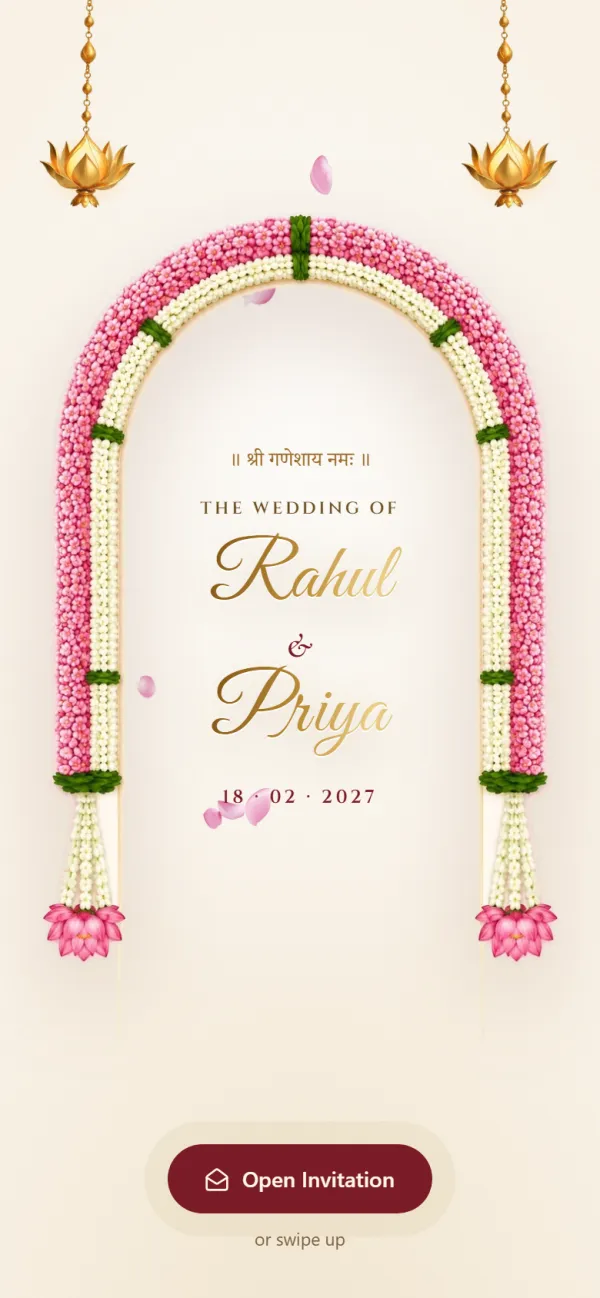
- Hindu TraditionalHindu wedding
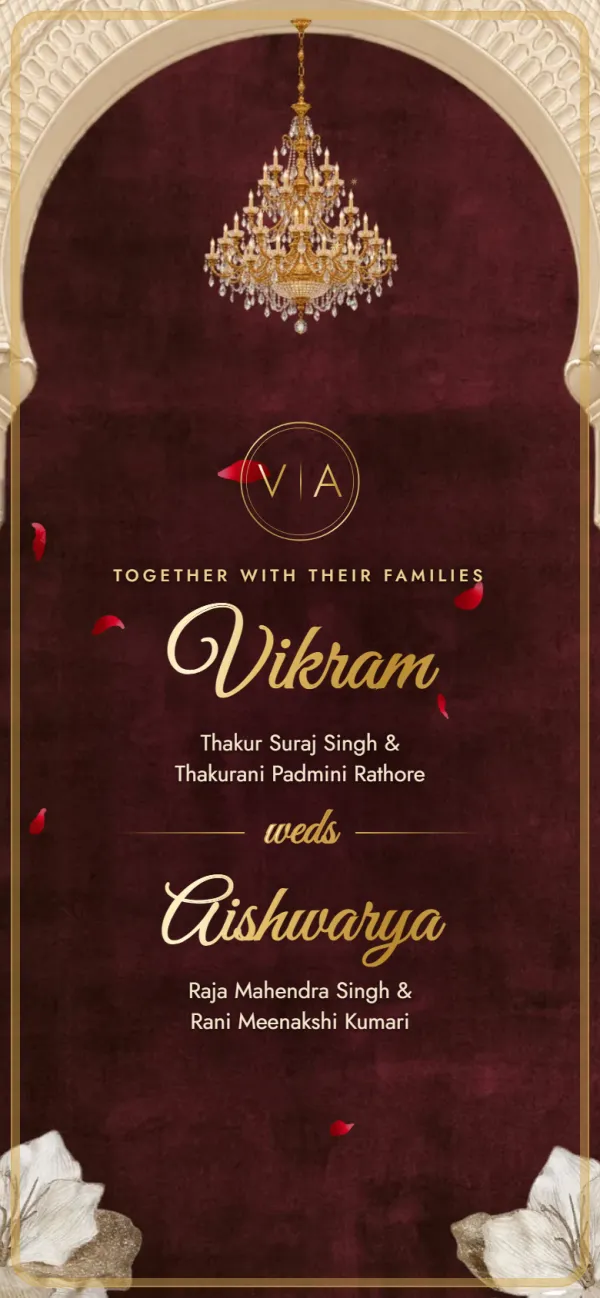
- Hindu RoyalRoyal wedding
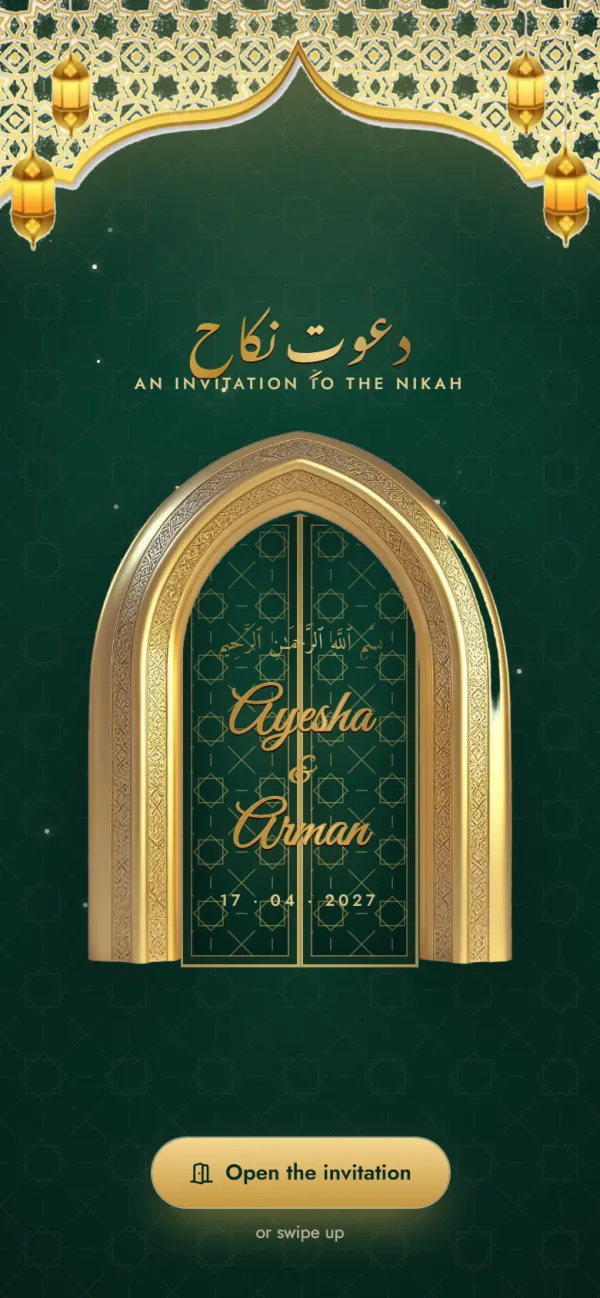
- Muslim ElegantNikah & Walima
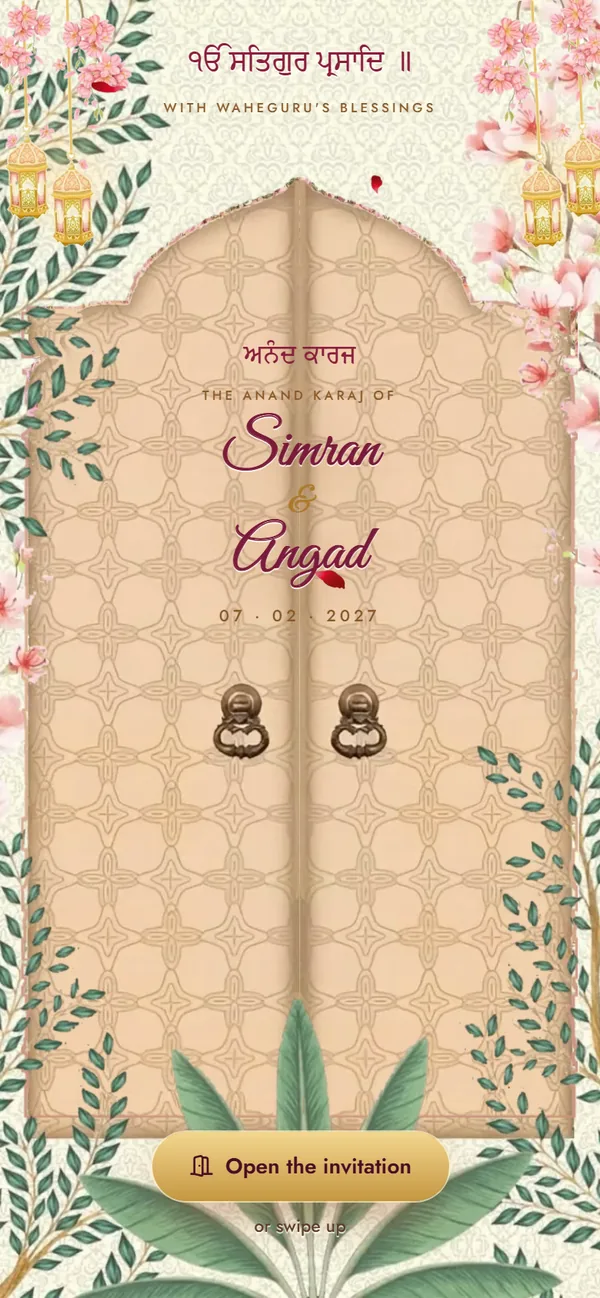
- Sikh VibrantAnand Karaj
- Christian ClassicChristian wedding
- Modern MinimalAny tradition
Which one should you pick?
- Hindu Traditional — classic red and gold with Haldi, Mehendi, Sangeet, Wedding and Reception ready to fill in.
- Hindu Royal — a palace look with Tilak, Haldi, Mehendi, Sangeet, Baraat, Wedding and Reception, suited to palace or hotel weddings.
- Muslim Elegant — green and gold, opening with Bismillah, with Mehndi, Nikah and Walima.
- Sikh Vibrant — blossoms and gold: carved doors open on the Palki Sahib, then Ik Oankaar, the four Laavan and every function from Path to Reception.
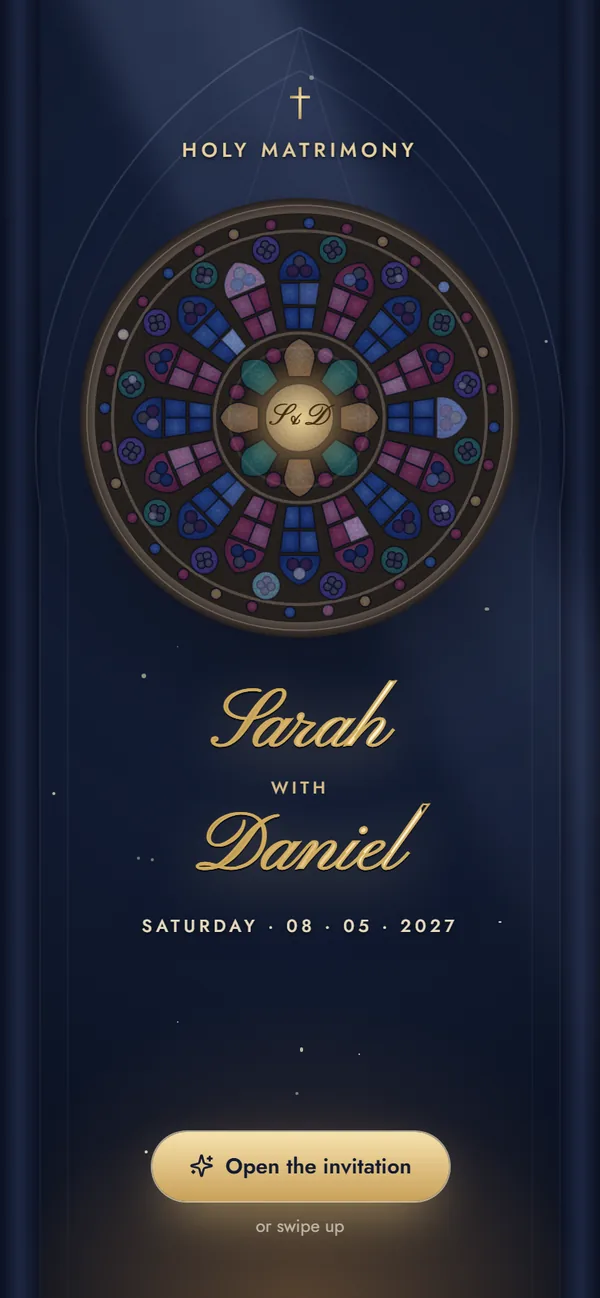
- Christian Classic — ivory, midnight blue and gold, with the Engagement, Roce, Holy Matrimony and Reception.
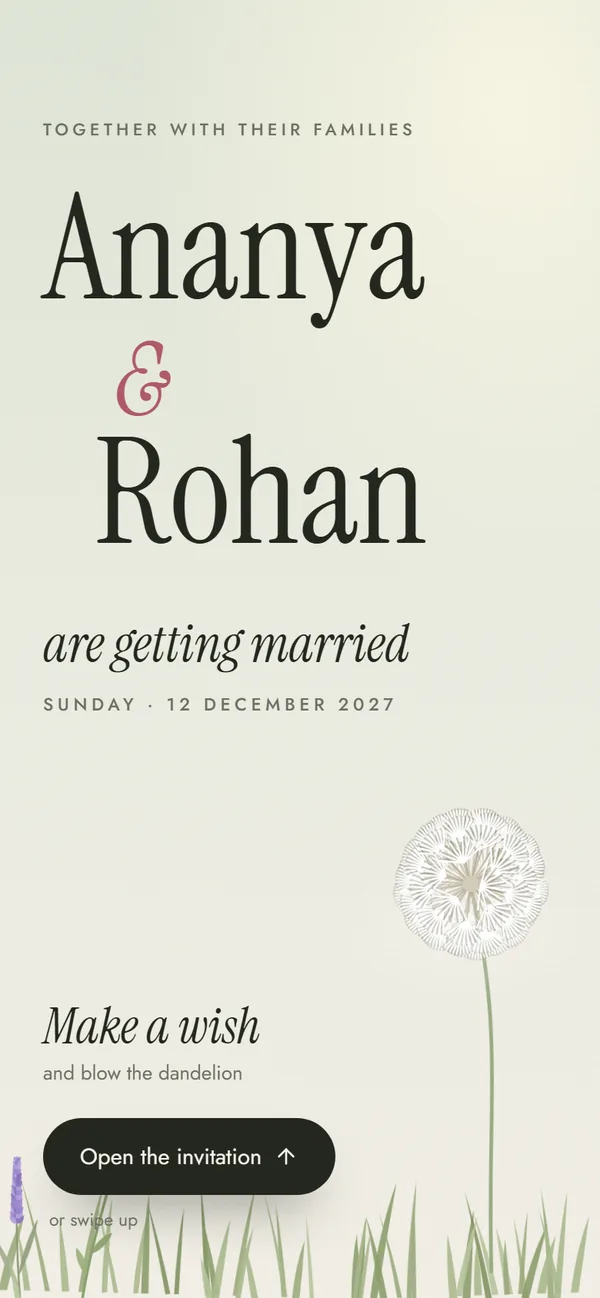
- Modern Minimal — editorial and contemporary for any tradition, from Welcome Drinks to the After-Party.
Not sure yet? Read our guide to the best wedding invitation templates for every culture.
How to Share Your Digital Invitation on WhatsApp
Best practices for WhatsApp sharing
When to send
- About 6–8 weeks before the wedding for most guests
- Earlier — 2–3 months — for outstation and overseas guests who need to book travel
- At a sensible hour: mornings and early evenings, not late at night
How to write the message
- Start with a warm, personal greeting
- Mention the main date and city in the text itself
- Put the invitation link on its own line
- Use an emoji or two, not ten
- Say who to call with questions
Follow-up reminders
- A gentle reminder about a week before the first function
- A short note a day or two before with the link again, for anyone who lost it
Our wedding invitation timeline covers timing in more detail.
WhatsApp groups vs individual messages
Use groups for
- Close family groups
- College and school friends
- Office teams
- Quick announcements
Send individually to
- Elders and senior relatives
- Your boss and senior colleagues
- Relatives you aren't in a group with
- Anyone who deserves a personal note
Digital vs Physical Wedding Invitations: Complete Comparison
| Feature | Digital invitation | Printed card |
|---|---|---|
| Cost | ₹499 once on Shaadi Invitation, for every guest (free to design and preview) | Typically ₹50–200 per card, plus delivery |
| Time to make | About 5 minutes | Usually 1–3 weeks with design and printing |
| Delivery | Instant, over WhatsApp | Days by hand or courier |
| Directions | One-tap Google Maps per function | Address typed into maps by hand |
| Calling the family | One-tap call buttons | Numbers dialled manually |
| All functions together | Every function on one page | Separate cards or inserts |
| Paper waste | None | Cards and envelopes |
| Can be lost | Stays in the guest's WhatsApp chat | Easily misplaced |
| Feels traditional | Depends on design and wording | Yes, especially for elders |
Frequently asked questions
You can design and preview one for free: open the Shaadi Invitation editor, choose one of six templates, fill in the bride and groom names, both families and each function's date, time and venue, add Google Maps links and family phone numbers, then preview it. When it looks right, get your link for a one-time ₹499 and share it on WhatsApp. It takes about five minutes.
No. There's no account or sign-up, and nothing to install. Guests don't need an app either — the invitation opens in the browser on any Android phone or iPhone, straight from WhatsApp.
Yes. Each function has its own venue, address and optional Google Maps link, so guests can tap and navigate to that function's venue. Functions held at home can be marked as at home.
Designing and previewing your invitation is free, with no sign-up. When you're happy with it, getting your shareable link is a one-time ₹499 (launch offer, usually ₹999). That gives you your own link with a photo preview on WhatsApp, unlimited guests and edits until the wedding. There's no subscription. No hidden charges either.
Yes. Once you've got your link, you can keep editing until the wedding through your private edit link — change a time, a venue or a phone number and the same link shows the update, so there's nothing to re-send. Before you pay, you can change anything in the editor and check it in the preview.
Yes. Type your welcome message, closing note and other text in Hindi, English or a mix — the invitation shows them exactly as you write them. Our Hindu wedding invitation wording guide has samples you can adapt.
Yes. Each template comes with its tradition's usual functions already listed — for example Haldi, Mehendi, Sangeet, Wedding and Reception — and each one has its own date, time and venue. Switch off any function you aren't hosting.
Call them personally with the details, ask a younger family member to show them the invitation, or give them a printed card. Many families send the link to most guests and hand printed cards to a few elders.
Found this useful?
Send it to whoever is helping with the invitations.
Make your wedding invitation
Every function, map and family number in one link. Free to design and preview, no sign-up.
Create Your InviteBrowse templates